Windows 10 ISOs
Why is it so difficult to get to them?
2026-06-03
TL:DR (for future me)
- Install a browser extension like user agent string switcher (Firefox/Chrome)
- Open its settings, select Linux in the 2nd dropdown, select a profile from the list, Apply (All Tabs) (or paste something like this as the user agent string:
Mozilla/5.0 (X11; Linux x86_64) AppleWebKit/537.36 (KHTML, like Gecko) Chrome/147.0.0.0 Safari/537.36) - Open https://www.microsoft.com/en-us/software-download/windows10ISO in a new tab.
Once you're done, remember to Reset the extension.
What's the big problem?
If you open this link on macOS or Linux, it'll show you a download page with the raw Windows 10 ISO.
But if you try to open it on a Windows machine, it'll redirect you to https://www.microsoft.com/en-us/software-download/windows10 (and vice versa), where you can only download their installation media creation tool, which looks something like this: 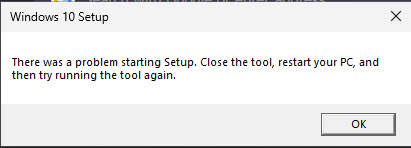 Yeah, some time after the end of support for Win 10 this tool stopped working. Luckily, you can still flash an installation disc with Rufus.
I would love to just post the direct download links here, but they expire after 24h 